The Top 10 Android Apps of the month they are the best apps........

1. Pixoff
Pixoff: Pixel OFF Save BatterySaves battery with filter that turns off pixels
Saves battery by applying a filter that turns off pixels of screens, also incorporates the possibility of make a filter night decreasing so damaging blue light and you can further reduce battery consumption with facility to put a wallpaper to true black.
Download At :-

2. Materialize

Being annoyed by icons of those apps didn't obey Material Design?
Is your home screen full of annoying iOS-like icons?
With Materialize, now you can:
Is your home screen full of annoying iOS-like icons?
With Materialize, now you can:
1. Pick that "bad guy"
2. Wrap its icon with a well-Material-Designed rectangle or round
3. Adjust its size
2. Wrap its icon with a well-Material-Designed rectangle or round
3. Adjust its size
Materialize will generate the new icon in Material Design and put it the home screen for you.
3. Giganticon
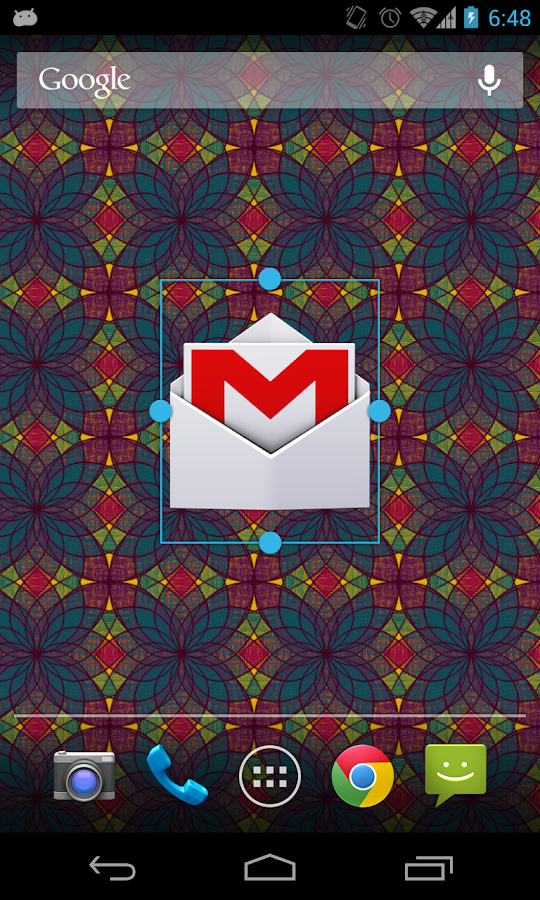
Do you crave bigger icons on your home screen? Are your icons too small to see or touch? Giganticon allows you to personalize your home screen with big huge gigantic giant icons for any app you like.
Just add the Giganticon widget to your home screen and choose your app. You can resize the icon to be tiny, gigantic, or anything in between. Icons for apps available on Google Play will even be in HD!
Giganticon is optimized for phones and tablets running any version of Android.
You can have up to two icons totally free, and then the app will ask you to upgrade. However, there is a secret way to unlock a third free icon. See if you can find it!
For apps that aren't on the play store, Giganticon allows you to substitute any image from your device.
4. MeetUp

For example, people run marathons, thanks to running Meetups. They write, thanks to writing Meetups. They change their careers, thanks to career Meetups. Because at Meetups, people welcome each other. They talk, help, mentor, and support each other – all in pursuit of moving their lives forward.
5. AppInfo Mini

It provide a quick way for accessing "App Info" for the foreground app. It show the info on your notification panel. It can show permissions, traffic, storage statistics, etc. It also show extra info on status bar.
Notification Panel: App Info of foreground app
Notification Icon: Network meter, RAM, battery, date, etc.
Notification Icon: Network meter, RAM, battery, date, etc.
App Info Mini, for Lollipop, Marshmallow and Nougat.
6. Urban Walls
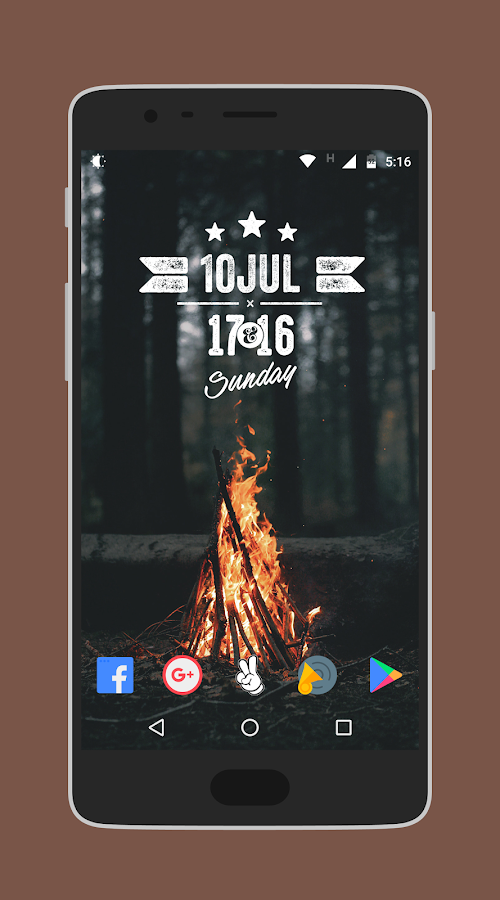
• 350+ cloud based walls
• Option to download straight to your gallery, or apply directly to your screen!
• Set walls as homescreen or lockscreen image. Or why not both? 😉
Gravity Gestures is a revolutionary application that helps you save a lot of time.
It brings the functions of Moto Actions and a lot more to any Android device.
• Option to download straight to your gallery, or apply directly to your screen!
• Set walls as homescreen or lockscreen image. Or why not both? 😉
This is a Wallpaper collection by Rutwik Patel called as "Osum Walls"
7. Gravity Gesture
Gravity Gestures is a revolutionary application that helps you save a lot of time.
It brings the functions of Moto Actions and a lot more to any Android device.
The four gestures you can make are: rotation X, rotation Y, rotation Z and shake.
You can link different actions to these gestures: open an app, toggle settings (like wifi and Bluetooth), make a call, etc.
You can link different actions to these gestures: open an app, toggle settings (like wifi and Bluetooth), make a call, etc.
The interface is easy, friendly and follows the material design specification. You can add as many gesture as you want and delete them anytime with just a swipe.


