‏إظهار الرسائل ذات التسميات Rooting. إظهار كافة الرسائل

السبت، 21 نوفمبر 2015

Root Samsung Galaxy V Plus Duos (SM-G318MZ) On KitKat v4.4.4 [Pre-Rooted Firmware]


Root Samsung Galaxy V Plus Duos using Pre-Rooted Firmware:

root only for SM-G318MZ model

warning :- make ur important data backup first.

Download Pre-rooted firmware for sm-g318mz from here 


plz note :- this pre-rooted firmware is under beta test.so write this firmware at ur own risk.

In case something goes wrong you can reflash the phone with this firmware:

Please who Test this file, Share the Result with all to help more people to use it 

الجمعة، 13 نوفمبر 2015

Root Samsung Galaxy Ace 4 Neo Kitkat v4.4.4 With Pre-Rooted Firmware

Galaxy Trend 2 Lite Kitkat Pre-rooted firmware v4.4.4 masterrt1994

Root Samsung Galaxy Ace 4 Neo (SM-G318ML) Kitkat v4.4.4 with Pre-Rooted Firmware

note:- This Pre-rooted firmware Is not yet tested , so do at your own risk


Now just install this pre-rooted rom using odin tool


Comment here if u got success or need any help


Root Samsung Galaxy Tab 4 7.0 Lite v4.4.4 With Pre-Rooted Firmware


Galaxy Tab 4 7.0 Lite v4.4.4 Pre-Rooted Firmware


Download Pre-Rooted Firmware For sm-t239m from Here
 T239MUBU0AOG1_Pre_Rooted_System_v4.4.4.zip

Now Install This Firmware As A PDA/AP Using Odin Tool
Step by Step Tutorial Here: How To Write Pre-Rooted Firmware On SM-T239M


warning :- this method is tested but still i am not responsible for any damage of your phone

الخميس، 12 نوفمبر 2015

Root Samsung Galaxy Grand Prime (SM-G530W) On Lollipop v5.1.1


Samsung Galaxy Grand Prime sm-g530w v5.1.1 Root


  • Download Complete SM-G530W Root  Pakage From HERE
  • Unzip Root Pakage On Your Pc
  • Now Run Odin Flasher and Connect Your SM-G530W To PC In Download Mode
  • Install necessary Drivers
  • Now Click On PDA/AP and Select Root File
  • Now Click On Start Button and Wait For Done.
  • When Root installation Complete Phone Will Reboot To Normal With Root.
  • CongrTS :)

If Need Any Help , Comment Here

الجمعة، 30 أكتوبر 2015

Root Samsung Galaxy Core Prime SM-G360T1 (MetroPCS) 5.1.1

root samsung galaxy core prime 5.1.1


Warning:- This Will Trip Knox and Your Warranty Will Void.


Root SM-G36T1 On Lollipop v5.1.1


  • Download Root Pakage From Here
  • Now Unzip This Root Pakage 
  • Now Put Your Phone In Download Mode and Connect To PC
  • Now Open Odin and Put Kernal In AP Slot
  • Flash it
  • After Done Phone Will Reboot To Normal
  • Enjoy


Note :- Super SU Is Not Installed By Default,So Install Super SU APK Through PlayStore Or Mannualy.

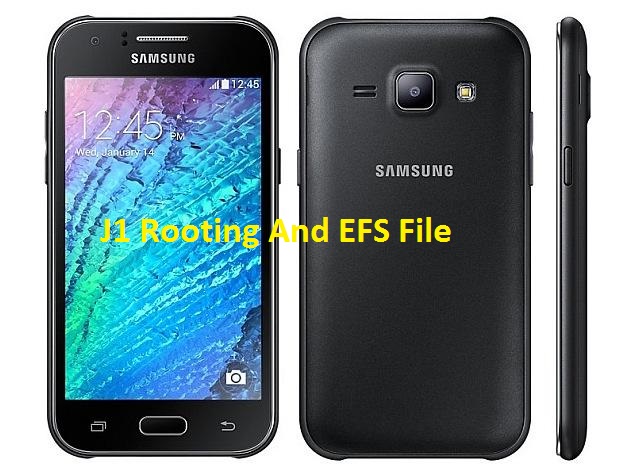
Samsung Galaxy J1 (SM-J100H) Root and EFS - Download Now


Root Kernal and EFS For Samsung Galaxy J1 (SM-J100H) (Kitkat)


الأربعاء، 28 أكتوبر 2015

Huawei Nexus 6p Firmware and Root / Custom Recovery


Fastboot+Adb Drivers

Factory Firmware For Nexus 6P [Angler]


Flashing / Installing Procedure

  • Goto Settings /About Phone/ Tap on Build numbers 7 to 9 times until Developer mode is enabled.
  • Goto Developer Option enable OEM Unlocking & Usb Debugging Turn off 
  • Your Device Hold vol Dwn + Pwr Button to Get into fastboot Mode and run 
  • Below given command to unlock your Bootloader. 


"fastboot oem unlock" [This will full erase your Data's]

  • Extract the firmware zip 
  • After Extract you vil get a single file
  • Change that files extension to .tar or .rar extract it
  • Again extract it after change the Extension you wil get files below given in the picture.
  • Connect yur mob in fastboot mode
  • Run the flash-all.bat


Root and Custom Recovery Installation

  • Bootloader Must Be unlocked (Guide available above)
  • Copy boot.img & Recovery.img to fastboot adb folder
  • Connect Your Device in Fastboot Mode
  • Run Below Given Commands To flash the images.

"fastboot flash boot boot.img
fastboot flash recovery recoveryname.img
fastboot reboot"


  • Copy Supersu 2.52.zip to sdcard and flash via twrp or sideload to flash it.

الثلاثاء، 27 أكتوبر 2015

Root Samsung Galaxy Core Prime (SM-G361H) 5.1.1 By Pre-Rooted Firmware

sm-g361h aka samsung core prime root lollipop 5.1.1


Hello !

Here We Sharing A Solution To Root Your SM-G361H AKA Samsung Galaxy Core Prime On Lollipop v5.1.1 .


Warning :- This Method Is Only For Samsung Galaxy Core Prime (SM-G361H) , All Userdata Will Lost , Make Backup First and I,M Not Responsble For Any Cause Of Damage , Do at Your Own Risk.

Instructions:


  • Download Pre-rooted Firmware For sm-g361h from Here

G361HXXU0AOFF_Pre_Rooted_System_v5.1.1.zip


  • Now Flash This Firmware In Download Mode Using Latest ODIN version

Tutorial is Here


Any Problem ? Comment Here

Share IF U Care

U May Also Like
Root Samsung Galaxy Grand Prime sm-g531h on 5.1.1

الجمعة، 23 أكتوبر 2015

Root Samsung Galaxy Grand Prime ( SM-G531H ) On 5.1.1 With Pre-Rooted Firmware - How To


Hello !

Today We Come Again With Exclusive Solution Of Rooting SM-G531H Aka Samsung Galaxy Grand Prime On 5.1.1 :)


Note : All User data Will Be Wipe . Backup Your Important Data First .This Pre-Rooted Firmware Of SM-G531 is Tested , But Still I Am Not Responsible For Any Cause Of Damage.Do At Your Own Risk.


This Method Is Only For Samsung Galaxy Grand Prime ( SM-G531H )

How TO ??


  • Now Simply Flash This Pre-Rooted Firmware In Download Mode Using ODIN Flasher.

HERE IS ODIN TUTORIAL


If Any Problem Comment Here

Dont Forget To Share

You May Also Like :

ROOT SAMSUNG GALAXY GRAND PRIME VE (SM-G531F) ON LOLLIPOP 5.1.1


Special Thanks To : masterRt1994

الخميس، 15 أكتوبر 2015

Qmobile Noir Z8 Root [Kitkat v4.4.x] [Qualcomm]


Download Root Tool From Here


Instructions:

First of all you have to download and install adb drivers in your PC. Link given above.
Download the root package and extract it to desktop. or anywhere you like.
Now turn on USB Debugging in your QMobile Noir Z8 by going into Settings-> Developer Options-> and enable usb debugging.
Connect your phone with PC via USB cable.
Double-click on root z8......exe file and press any key on your pc.How to root Noir Z8
If you have drivers installed, your QMobile Noir Z8 will Reboot into custom recovery. This does not install the cwm recovery because the recovery image is not fully working.
When your phone boots into cwm recovery, press any key on your pc to continue.
Now your phone will start to show some weird colors but you don’t have to worry, its notmal. Just Press Volume down once and then press power button. Your phone will reboot and it should now be rooted.
Congratulations! You have successfully rooted your QMobile Noir Z8. You can check