الثلاثاء، 13 يناير 2015
[MT6572] [4.2] ColourOs v2
Some Features:
- Based On OPPO Color Os
- Dual 3G Switch
- Color OS UI
- Gesture Support
- Proximity Tweaks
- Battery Saving Tweaks
- Battery Backup Increased
- Smooth & Improved Touch
- Better Responsiveness & Speed
- Super Smooth Performance
- Some SD Speed Tweaks
- Vividness Patch Pre-Included
- No Delay In Making Call
- Faster Streaming
- Net Speed Tweaks
- Signal Tweaks
- Ram Management Not So Bad
- Quick Boot
- GPS improved
- Quicker Charging
- Camera Improved
- Some Fonts Added
- Themes Supported
- Pre-Rooted
Totally Stable & Stylish Rom.
(No Bug Found!)
Credits: Main Devs & Modder .
Download
Click Here
Ported By - Parvez Ahmed
الثلاثاء، 6 يناير 2015
Amigo Mix [6582] [4.4.2] Fast & Stable
I am presenting Amigo ui for walton primo r3 .
Any 6582 kk user can port this for their device too .
Features :
1. Odexed rom to ensure more free ram and super fast performance . 2. Stable for daily usage
3. Dual 3g .
3. Pre-rooted and removed bloatwares .
4. Bugless ( Don't hesitate to inform me if you can find one )
5. Nova prime as default launcher .
6. Lag free .
7. Better battery backup .
6. All other features of Amigo ui . (I can't describe more)

::::::: Procedure for Flashing a custom rom via CWM recovery :::::::
#go to cwm recovery by pressing (power button+ volume up button)
#select wipe/data factory reset >>> then select yes.
#Select wipe cache partition>>>then select yes.
#then select mounts and storage>format/system>yes format
#then select advanced option>>> then wipe dalvic cache and wipe battery stat.
#then Return to the main menu again.
#select Install from sd card > install zip from SD card > select –Custom Rom> yes.
#then a process will occur.
#wait untill it finished.
#then reboot your Primo R3
# Turn your phone on in recovery mode (by pressing VOLUME UP + POWER buttons).
# Go to TWRP { Also known as Recovery Mode. }
# GO > WIPE> ADVANCED WIPE> SELECT - DALVIC CACHE, CACHE, DATA, ANDROID SECURE, SYSTEM AND THEN SWIPE TO WIPE
# THEN A PROCESS WILL START AND WAIT UNTILL IT FINISHED.
# THEN SELECT- BACK AND RETURN TO MAIN PAGE.
# NOW THE FINAL PART- SELECT - INSTALL> SEARCH YOUR ROM
# AND THEN SWIPE TO CONFIRM FLASH.
# WAIT UNTILL IT FINISHED.
# REBOOT YOUR PHONE/SYSTEM REBOOT.
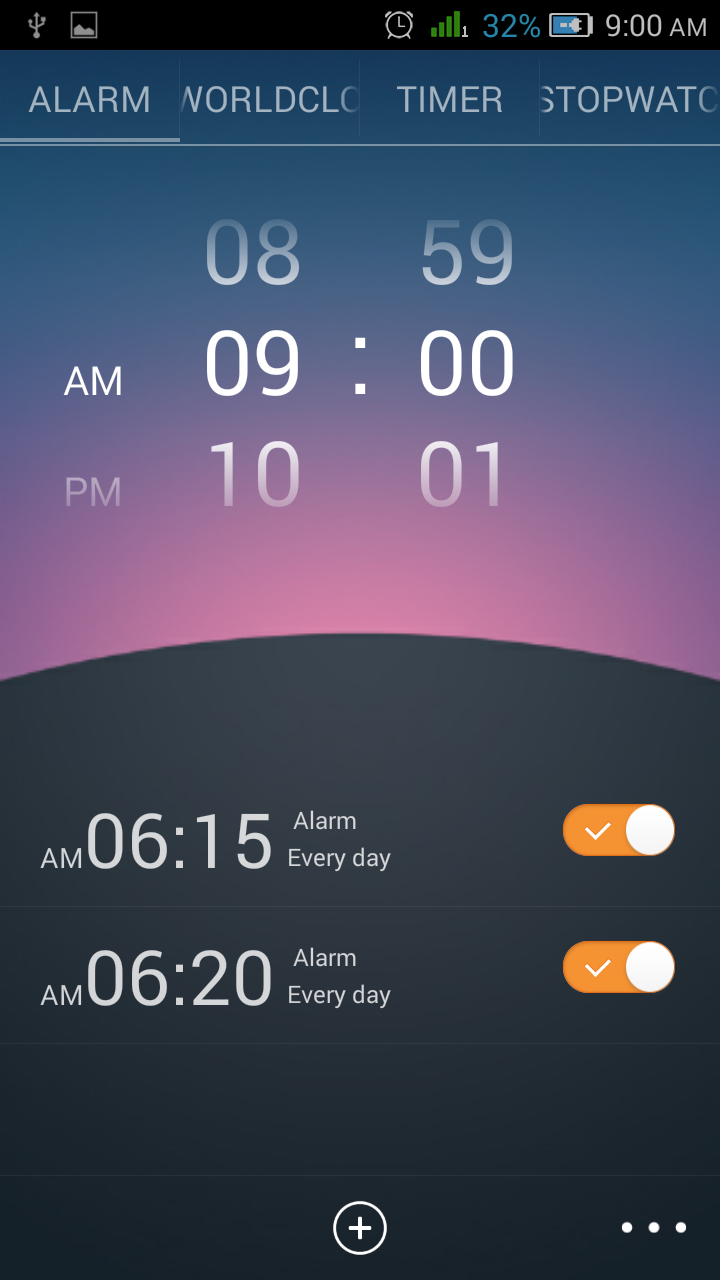
Screenshots :
Contact me : Muhe
الأحد، 4 يناير 2015
LIME LIGHT UI FOR WALTON PRIMO R3 KITKAT BASED BY KUASHA PRANTO
Device- WALTON PRIMO R3
You can port it to other MT6582 Devices...
FEATURES :
1. LIME LIGHT UI
2. NO BUGS ( IF YOU FOUND ANY LET ME KNOW )
3. SUPER FAST
4. CAMERA FULLY WORKED
5. SEMI 3D DAILER
6. TRANSFORMER BOOT LOGO AND ANIMATION
15. SMART MOTION ADDED
16.TIMER SMS ADDED
::::::: Procedure for Flashing a custom rom via CWM recovery :::::::
#go to cwm recovery by pressing (power button+ volume up button)
#select wipe/data factory reset >>> then select yes.
#Select wipe cache partition>>>then select yes.
#then select mounts and storage>format/system>yes format
#then select advanced option>>> then wipe dalvic cache and wipe battery stat.
#then Return to the main menu again.
#select Install from sd card > install zip from SD card > select –Custom Rom> yes.
#then a process will occur.
#wait untill it finished.
#then reboot your Primo R3
# Turn your phone on in recovery mode (by pressing VOLUME UP + POWER buttons).
# Go to TWRP { Also known as Recovery Mode. }
# GO > WIPE> ADVANCED WIPE> SELECT - DALVIC CACHE, CACHE, DATA, ANDROID SECURE, SYSTEM AND THEN SWIPE TO WIPE
# THEN A PROCESS WILL START AND WAIT UNTILL IT FINISHED.
# THEN SELECT- BACK AND RETURN TO MAIN PAGE.
# NOW THE FINAL PART- SELECT - INSTALL> SEARCH YOUR ROM
# AND THEN SWIPE TO CONFIRM FLASH.
# WAIT UNTILL IT FINISHED.
# THEN WIPE CACHE/DALVIC CACHE.
# REBOOT YOUR PHONE/SYSTEM REBOOT.
الاثنين، 22 ديسمبر 2014
Amzen V4 Kitkat ROM By Snigdho
ROM Name- Amzen V4 Kitkat
Device- Walton Primo E2
You can port it to other MT6572 Devices...
Features
-De-Odexed
-Gaming ROM
-Dual 3G
-Android Kitkat 4.4.2 (Fake)
-More Free RAM (250MB+)
-12MP Camera
-Super Smooth UI
-Built-In Pure PerformancesX
-And Much More
Credits
-Allah SWT
-Anwar Faqieh (Main Developer)
-Snigdho Hasan (Me, Porter)
Special Thanks
-Kuasha Pranto
-Mohammad Mahi Atik
-Sadman Sakib Alam
-Abdullah Al Akib
-Emrul Chowdhury
-Muhe
Download Link
Click Here
If you port this ROM, Don't forget to give credits to the Real Developer of this ROM (Anwar Faqieh) -_-
الثلاثاء، 16 ديسمبر 2014
Dark Cyanide Android L ROM By Snigdho
ROM Name: Dark Cyanide : Android L ROM
Device: Walton Primo E2
Chipset: MT6572
You can also port it to other MT6572 devices....
Our device (Walton Primo E2) already have a Android L themed ROM but it has some minor bugs, No Dual 3G, Less free RAM... So I thought of making another Android L themed ROM fulfilling most of the lackings of the previous L themed ROM...
Features
- De-Odexed
- Pre-Rooted
- Dual 3G
- Android L UI
- Android L Boot Animation
- Dolby Engine
- New Boot Logo
- Super Smooth UI
- Built-In Xposed Installer
** Built-In Xposed Modules
==> Gravitybox
==> Tinted Statusbar
- 100% Bugless
- build.prop tweaks & init.d tweaks
- More Free RAM
- Better Gaming Performance
- And Much More
Credits
- Allah SWT
- Emrul Chowdhury
- CyanogenMOD Team
- Byron Saquic Perez
- Abdullah Al Akib
- Shovik Chowdhury
- Jeeko
- And Snigdho Hasan (Me)
Special Thanks
- Kuasha Pranto
- Mohammad Mahi Atik
- Sadman Sakib Alam
- Abdullah Al Akib
- Emrul Chowdhury
- Muhe
If you port this ROM give credits to the Real Developer of this ROM (Snigdho Hasan)
الأحد، 7 ديسمبر 2014
PURE HIVE UI FOR WALTON PRIMO R3 BY KUASHA PRANTO (BUG & LAG FREE )
Device- WALTON PRIMO R3
1. PURE HIVE UI
2. NO BUGS ( IF YOU FOUND ANY LET ME KNOW )
3. SUPER FAST
4. FUSIOX FULLY WORKED
5. SEMI 3D DAILER
6. OTA UPDATE
15. AND SO MUCH MORE.....
::::::: Procedure for Flashing a custom rom via CWM recovery :::::::
#go to cwm recovery by pressing (power button+ volume up button)
#select wipe/data factory reset >>> then select yes.
#Select wipe cache partition>>>then select yes.
#then select mounts and storage>format/system>yes format
#then select advanced option>>> then wipe dalvic cache and wipe battery stat.
#then Return to the main menu again.
#select Install from sd card > install zip from SD card > select –Custom Rom> yes.
#then a process will occur.
#wait untill it finished.
#then reboot your Primo R3
# Turn your phone on in recovery mode (by pressing VOLUME UP + POWER buttons).
# Go to TWRP { Also known as Recovery Mode. }
# GO > WIPE> ADVANCED WIPE> SELECT - DALVIC CACHE, CACHE, DATA, ANDROID SECURE, SYSTEM AND THEN SWIPE TO WIPE
# THEN A PROCESS WILL START AND WAIT UNTILL IT FINISHED.
# THEN SELECT- BACK AND RETURN TO MAIN PAGE.
# NOW THE FINAL PART- SELECT - INSTALL> SEARCH YOUR ROM
# AND THEN SWIPE TO CONFIRM FLASH.
# WAIT UNTILL IT FINISHED.
# THEN WIPE CACHE/DALVIC CACHE.
# REBOOT YOUR PHONE/SYSTEM REBOOT.
الثلاثاء، 2 ديسمبر 2014
Mixed Jellybean ROM Developed By Snigdho
Device- Walton Primo E2
Chipset- MT6572
-De-Odexed
-Pre-Rooted
-Dolby Digital Plus (Red Edition)
-New Settings, Lockscreen Handle, Dialer, Notification Panel, etc.
-360 Launcher (As default launcher)
-More Free RAM
-Super Smooth UI
-Awesome Gaming Performance
-GAPPS Removed (To reduce ROM size & RAM Usage)
-Dark Cyanide Music Player (Developed by unknown, modded By me)
-Dark Cyanide Boot Logo
-MiUi File Manager
-And a lots more
-Kuasha Pranto
-Xtreme Ornob
-Jatin
-amrullz
-Akib
-Ishmam Jim
-And Snigdho Hasan (Me)
-Shehzad Mahi
-Xtreme Ornob
-Akib
-Emrul Chowdhury
-Wipe Menu> Wipe Preflash> Yes
-Install Zip For SD> Select The Zip> Yes
-And Reboot